
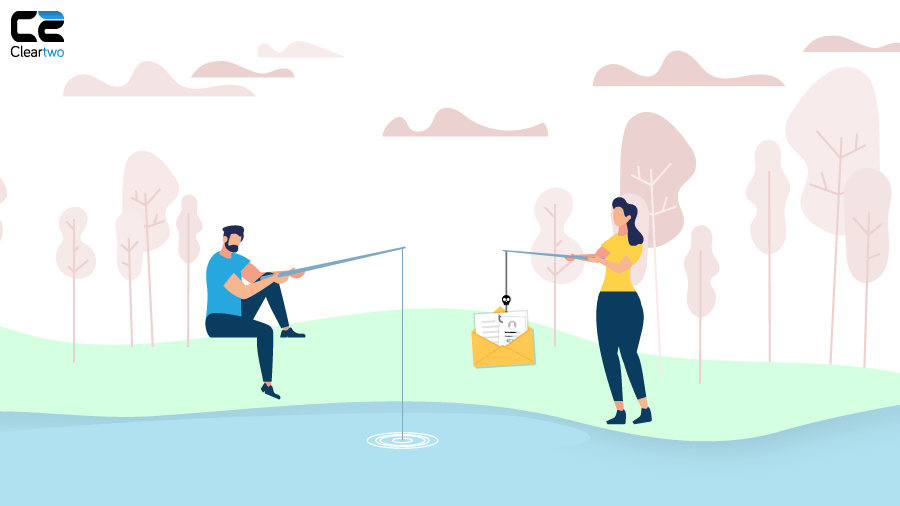
Phishing (pronounced “fishing”) is a type of fraud in which the victim is contacted by telephone, text message, or email by someone pretending to be a legitimate organisation.
The fraudster will try to trick you into providing sensitive data such as passwords, credit card details, and addresses under pretenses.
Phishing attacks can take many forms, from official-looking emails asking you to confirm a password to threatening phone calls ordering you to take urgent action. The most important thing is to stay calm and look for the warning signs of a phishing attack before revealing any sensitive info.
What is a Phishing Attack?
Phishing is a social engineering attack commonly used to steal sensitive data like credit card details and login credentials. It happens when phishers disguised as trusted entities (e.g., Amazon or a bank) trick victims into accepting fraudulent messages through emails, text messages, or phone calls.
These messages commonly contain malware or malicious links to fool the recipient into providing sensitive information. Many fraudsters go to great lengths to create digital disguises, so even if a message or link looks official, not everything is as it seems.
Being able to identify phishing emails reliably will help you avoid these tricksters and keep your information secure, so look out for these warning signs:
- A random company – many phishing attacks are sent to thousands of email addresses at random, so if you aren’t affiliated with the company an email is from, ignore it.
- Spelling and grammar – Official company emails will (almost) always be proofread, so obvious errors are a dead giveaway for a phisher.
- Lack of account info—If a company contacted you, they would include details like your username or account number, but a phisher wouldn’t know them.
- Deadlines—Phishing attacks often include a fake deadline to make you panic, so be wary when an email asks you to reply immediately or within a tight timeframe.
- Links – Links in emails are easy to fake or manipulate, so be cautious when clicking a link or – better yet – navigate to the company’s official site yourself if you’re unsure.
What are the Different Types of Phishing Attacks?
Phishing attacks come in various types, so you should know how to spot common phishing scams to protect your sensitive information from scammers. We’ve included a detailed list of five common types of phishing attacks so that you can detect threats and protect your sensitive information:
1. Deceptive Phishing
By far the most common phishing attack, deceptive phishing involves fraudsters impersonating a legitimate company and asking you to click a link or enter sensitive info. Watch out for emails with minimal content, odd email addresses, or small spelling, grammar, and design errors.
2. Spear Phishing/Targeted Phishing
A more targeted form of scam, spear phishing uses a personal touch, customising emails with the target’s name, company, and/or contact information. However, just because an email refers to you by name or asks you to log in to your company’s ‘official’ portal doesn’t make it genuine.
3. Whaling/CEO Fraud
Much like spear phishing, whaling uses personalised emails to fool a senior executive or CEO and steal their data. Train all your employees in security protocol and consider two-factor authentication on your bank accounts to avoid these phishing attacks.
4. Vishing/Voice Phishing
Scammers sometimes call targets over the phone using tools like a Voice Over Internet Protocol (VOIP) server to hide their identity. These phishing calls often use pre-recorded messages, so avoid answering unknown phone numbers and never give out personal info over the phone.
5. Smishing/SMS Phishing
Scammers may also text you a link or fake questionnaire to get your info over the phone. These scams can be fake competitions, so avoid following links in SMS messages unless you can trust the sender.
If you think a phishing attack may have compromised you, it’s important to check the state of your website and personal security quickly. By following our tips below, you should be able to see whether your site is locked up tight or hacked open.
How to Check Your Website Security
Unless there are obvious signs like your website being replaced with a ransom message, it can be tough to determine if your site is still secure. But rather than keep yourself awake with paranoia, run through these simple checks to answer the burning question of whether your website is hacked:
1. Check “Security Issues” in the Google Search Console
The Google Search Console is a powerful tool for any website administrator, allowing you to monitor search engine rankings, site stats and security issues. If you don’t have an account, create one and view your “Security Issues” report to see data on your site’s security issues.
2. Use a Safe Browsing Tool
Google’s Safe Browsing tool protects users from phishing attacks, malware and social engineering by warning them of dangerous sites and software. Google scans for malware daily, using advanced statistical models to look for phishing sites, so the safe browsing tool is an easy way to check your site for security issues.
3. Watch for Notifications from Hosting Providers, etc.
Sometimes, your hosting provider, internet browser, or other internet users will notify you of a hacked site. While you should never rely on these notifications alone, you can quickly increase the odds of detecting a hacked site by using reputable hosting providers and malware scanners, to name a few solutions.
4. Check Your Search Results
With a focused search – type “site:domainname.co.uk” into Google – you may be able to find malware or phishing activity on your site. If it sounds too easy, Google technicians have worked hard to flag suspicious websites with “this site may be hacked” warnings, especially when using targeted searches like the command listed above.
5. Use the Hacked Sites Troubleshooter
Another handy web tool from Google, the Hacked Sites Troubleshooter, is recommended when trying to find hacked content on your site and searching for remaining issues. This free tool includes a helpful beginner’s guide, so why not get to grips with the troubleshooter today?
How does Phishing Affect Businesses?
Now that you know how to detect a phishing attack, you’re probably wondering about the damage it can cause to a business. As one of the main delivery methods for malware, data breach attacks, and scams of all kinds, phishing remains a serious threat to businesses, and the costs of failing to address it can result in…
Monetary Loss
Many phishing scams have the sole aim of ripping off the recipient, which can be a serious inconvenience for individuals but potentially devastating for businesses. An employee being scammed into making a fraudulent purchase pales compared to a scammer with access to your bank account, so ensure you have strong safety measures in place.
Loss of Reputation
A common phishing tactic is impersonating a reputable company, so your reputation could be suffering from scammers impersonating your business or spoofing your domain. Even if you had nothing to do with the scam, the victim may lose trust in your business, so use email authentication to avoid email spoofing.
Ransomware
One of the costliest types of malware, ransomware is often delivered through phishing emails and can cripple entire organisations in extreme circumstances. In a ransomware attack, the hacker encrypts files, making them unusable, before demanding a ransom (often in cryptocurrency) to supply a decryption key.
How to Stop Phishing Emails
Individual users must exercise scepticism and vigilance in protecting against phishing attacks. Spoofed messages often contain subtle mistakes that reveal their true nature. As a rule, never follow links in messages or give out personal information unless you can trust the sender.
Phishing emails continue to evolve as hackers develop ever-more elaborate scams to gain your trust (and your data), adopting some good security practices will help you avoid the worst of them. While hackers are constantly coming up with new ways to take advantage of businesses, there are some measures you can take to protect yourself and your business, such as:
- Use spam filters. Because many phishing attacks are unsolicited emails with odd formatting, spam filters can filter out some phishing attacks before they become a threat.
- Prevent fraudulent sites from opening—change your browser settings to prevent fraudulent sites from opening for a good preemptive defence.
- Change passwords often – Regularly changing and using unique passwords for each account is a great way to improve security and prevent phishing attacks.
- Double-check links in emails—Links can easily be spoofed or tampered with, so investigate any links in emails and ensure they link to secure sites beginning with “https.”
Because phishing attacks rely on deception and social engineering to succeed, education and caution remain the number one defence. If you can educate your employees on cybersecurity and instil a healthy paranoia of suspicious emails, then you’re closer to stopping phishing emails than most.